
This article is written for: Zello Work Zello Friends & Family.
|
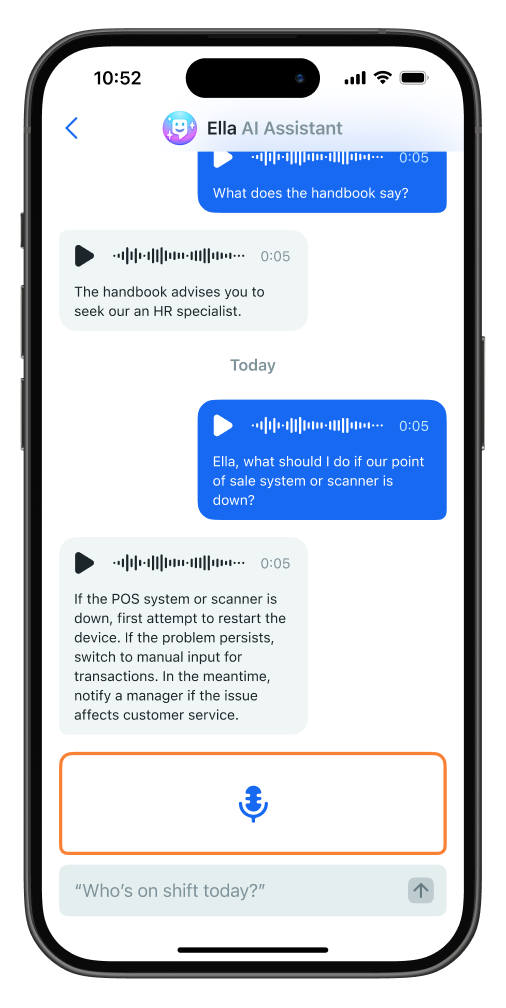
Ella is your team's AI-assistant that delivers quick, relevant answers to user questions. Drawing from documentation that’s selected and uploaded by a network’s admin, Ella's answers are tailored to fit the context of your unique conversation—making it a powerful tool that connects users with the right information at the right time. When a question arises—for example, an associate is seeking clarification about a certain store policy, where something’s located, or an internal procedure—users can open Ella’s talk screen, ask their question, and receive a response that’s crafted using the documentation previously uploaded by an admin to the Management Console. Ella functions as a 1:1 direct contact, accessible from both a user's Contacts and Recents screen. Messages with Ella are entirely private; the feature isn't compatible with channel communications at this time. |
PLEASE NOTE: Ella is available for all Plus networks starting with Zello version 6.6.
Functionality and prerequisites
Ella answers questions using files stored in knowledge bases that admins create and manage in the Management Console. Users can be assigned to one or more knowledge bases, and Ella references only the files in the knowledge base(s) assigned to the user who’s asking. This ensures answers are based on information the user is allowed to access.
To use Ella, a user must be assigned to at least one knowledge base. Once assigned, Ella appears for that user as a direct contact in Zello. Users can ask questions by voice or text, and Ella replies in the same format. Channel communications aren’t supported at this time.
To learn how to create knowledge bases, upload files, and assign users, see this support article .
Note: If Ella was set up on your network before February 3, 2026, your existing files were automatically stored in a single knowledge base. If you want different users to have access to different information when using Ella, refer to the support article above for guidance on managing them.
Accepted file types
Ella answers questions using only the files uploaded to your network’s knowledge bases. ensuring that her answers stay specific to your organization.
Currently, Ella only draws from static documentation. If any relevant documents are updated or changed, they should be re-uploaded to ensure the most current information is available. The following file types are accepted:
Tables can't be imported directly. Please insert an image of your table which can be found here.
- txt
- .doc
- .docx
- .py
- .rst
- .html
- markdown
- .json
- .xml
- .csv
- .md
- .ppt
- .rtf
- .odt
- .xls
- .xlsx
- .rb
- .paper
- .sh
- .pptx
All uploaded files must be 10MB or less. Additionally, although Ella can handle questions + responses in over 50 languages, the static documentation she pulls from must be in English.
Interacting with Ella
|
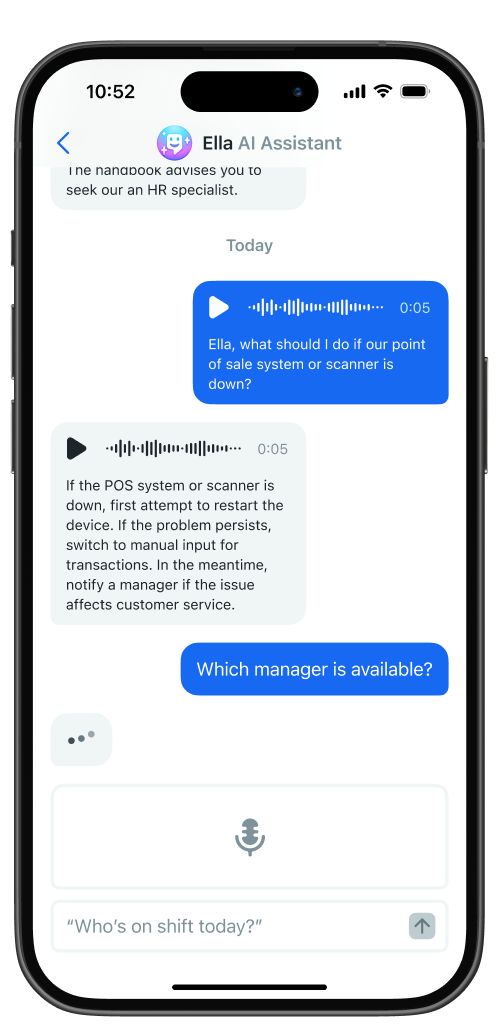
To prompt Ella, open the Ella contact and either speak or text your question. She may take a few seconds to craft a response; during that time, you’ll notice three dots appear in the interface, indicating a thinking state. When a response is ready, she’ll deliver it in the same format you prompted her—via text if you texted her the question, or via voice response if you messaged her using live voice. Additionally, please note the following:
|
|