
This article is written for: Zello Work Zello Friends & Family.
Tables can't be imported directly. Please insert an image of your table which can be found here.
1. From the management console's dashboard or Users tab (described below)
Method best used when adding one or a few users who have unique direct contacts, settings, and channel assignments.
3. Clone Users
Please note: Once you've added users to the network, consider sending them a SignOn link. This link will ease the onboarding process by prompting new users to install Zello on their device, as well as sign in to their network without entering their credentials.
Adding Users From the Dashboard
Users can be added from your console's dashboard—or home screen—via two buttons, as explained below.
- Sign in to your management console at [yournetworkname].zellowork.com.
- From the taskbar, click New > New User

-OR-
From the Network Overview section, click Add new user.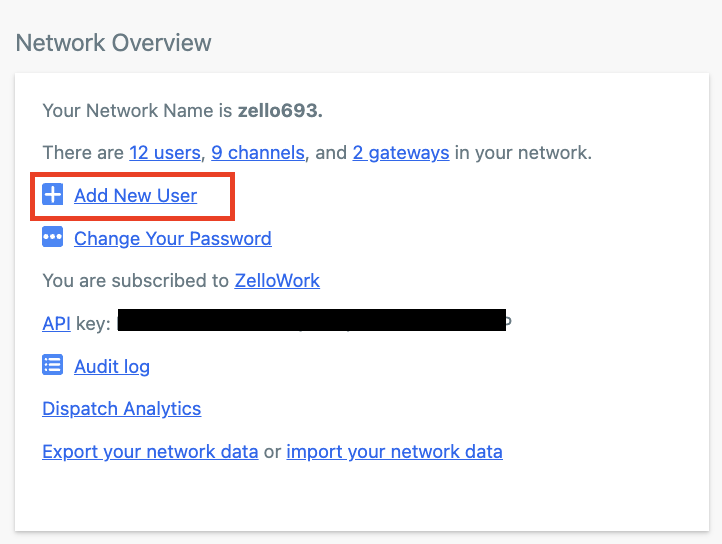
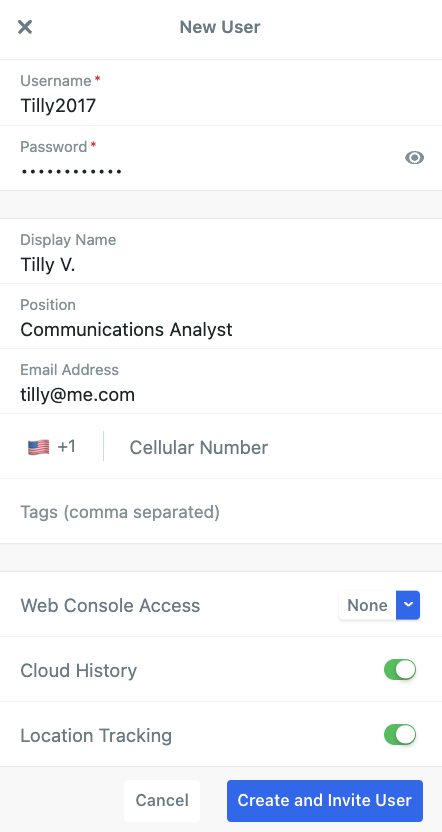
- Enter a username and password, as well as any additional relevant information—like console access or a display name—for the user's record. Click Create and Invite User.
Adding Users via the Users Tab
- Sign in to the management console at [yournetworkname].zellowork.com.
- Select Users from the taskbar.

- Click +New User

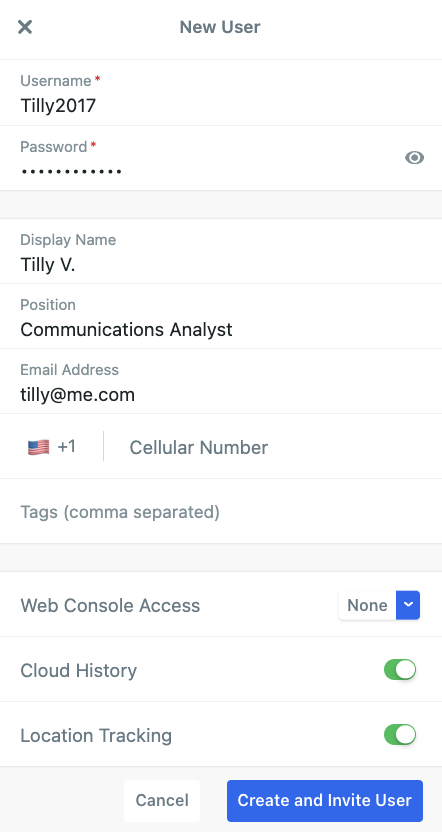
- Enter a username and password, as well as any additional relevant information—like console access or a display name—for the user's record. Click Create and Invite User.
Increase Your Network's User Limit
If you receive this error message when adding a new user:
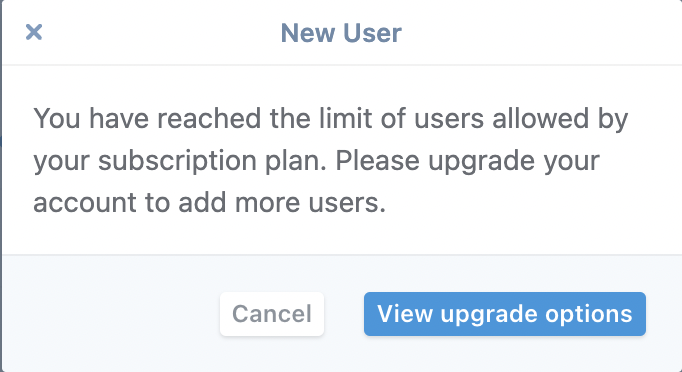
Then it's time to add additional users to your account.
- If you're a trial customer, reach out to sales@zello.com to request an increase.
- If you pay for your Zello Work subscription via credit card, see this article for help adjusting the number of users on that subscription.
- If you're paying by means other than credit card, contact paidsupport@zello.com for assistance adjusting the number of users on your subscription.