
This article is written for: Zello Work Zello Friends & Family.
Compatibility
If using an iOS or Android device, ensure you’re operating on Zello version 5.28 or up. Information regarding the version of Zello currently operating on your device can be found under the Support section of the app. Learn more about finding Zello's version number.
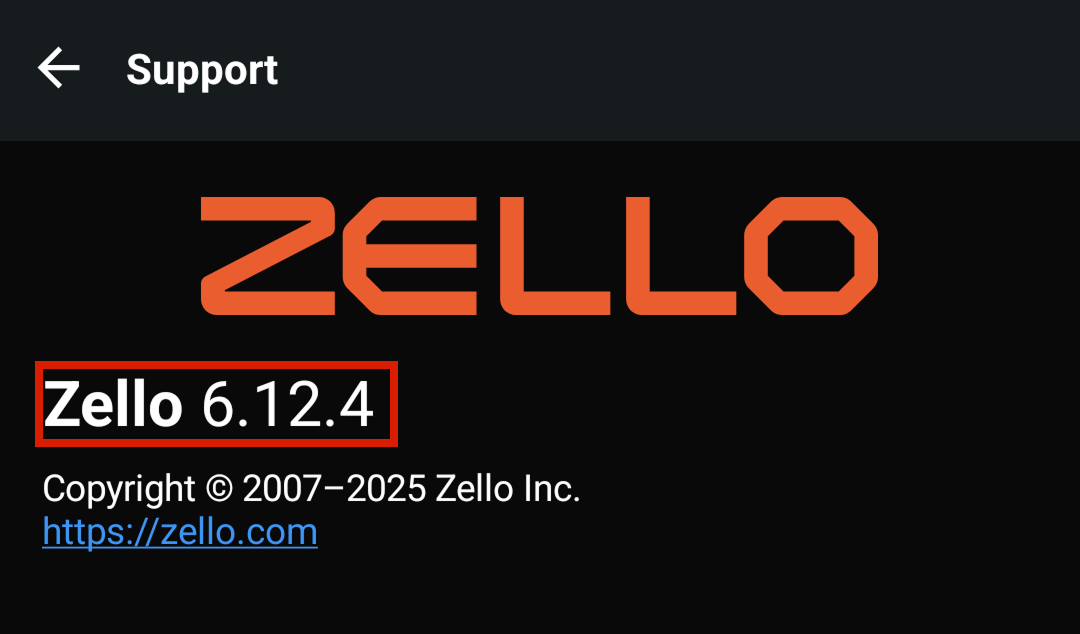
If using Dispatch Hub, ensure you’re operating on Zello version 15.14.0 or up.
Set Up
- Sign in to the management console at [yournetworkname].zellowork.com.
-
1. Click on the settings icon in the task bar. Note: You may need to scroll down on the task bar to locate it.
2. Use the toggle to enable transcriptions. Note: Green means transcriptions are enabled.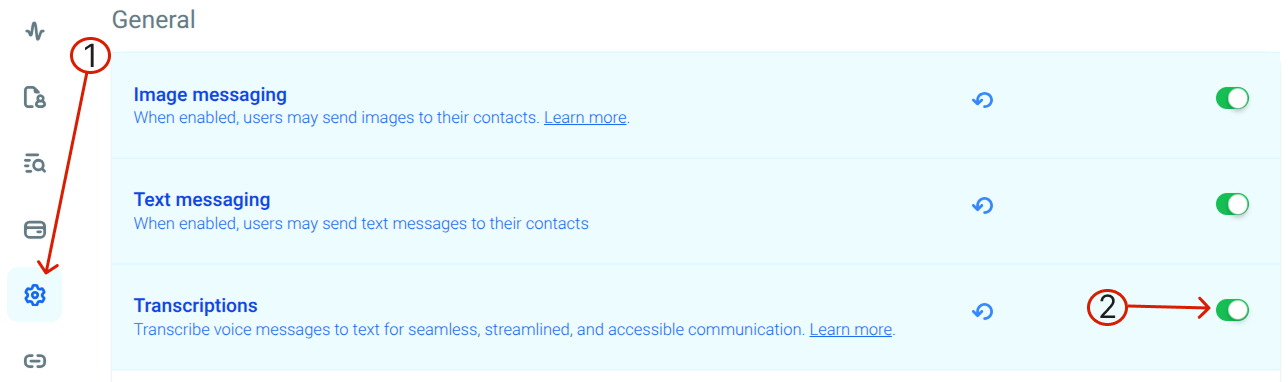
Additionally, admins can enable templates that only apply transcriptions to certain user accounts. This is particularly beneficial if there’s concern that transcriptions will distract some network users—for example, drivers—but benefit others.
For Users
Once an admin has enabled transcriptions, they’ll automatically accompany users’ voice messages on both the Recents and History screen. Note that only messages sent in channels can be transcribed at this time; this functionality is not supported in 1:1 messages. 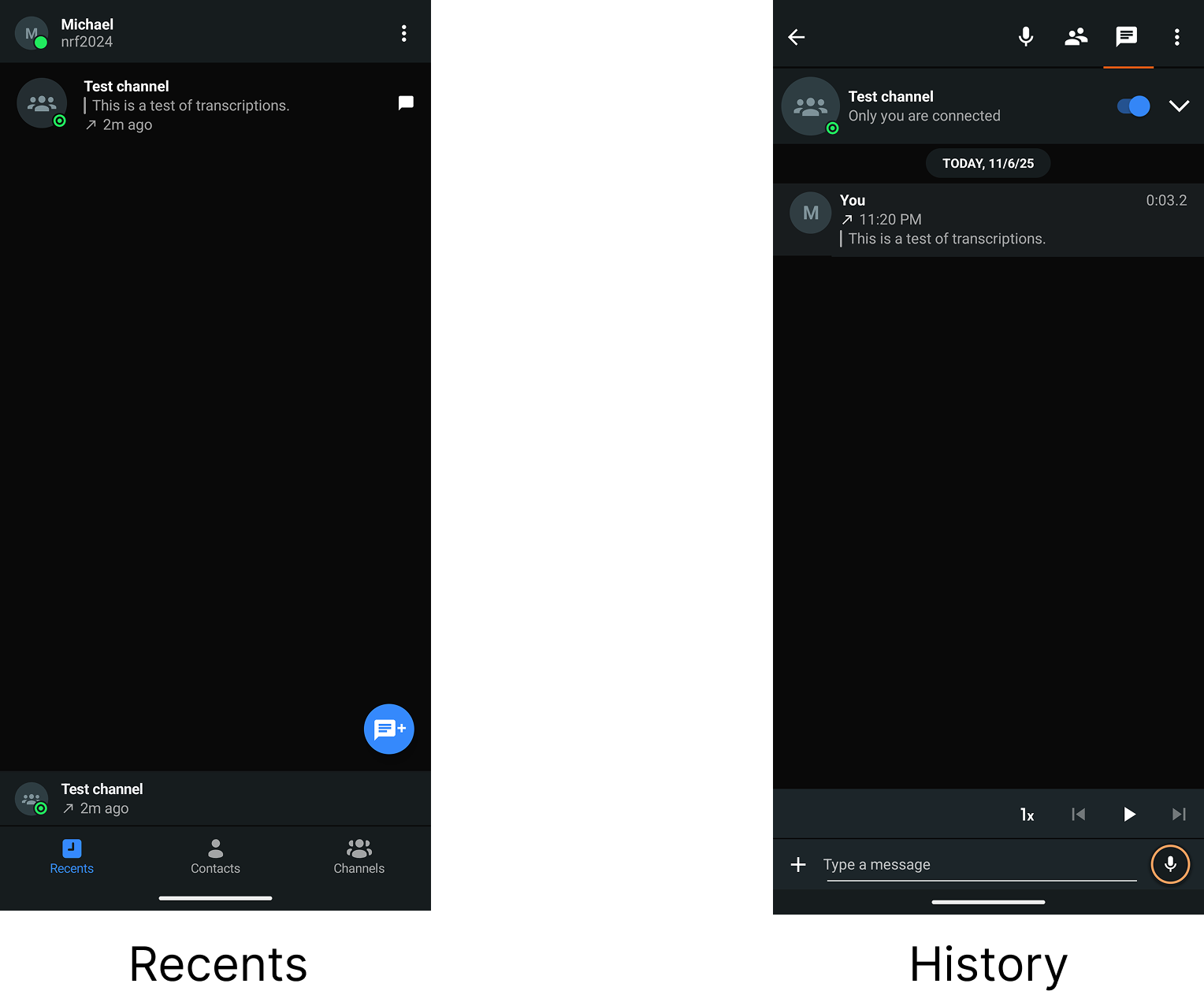
Functionality
- Transcriptions are limited to 1 minute. Messages longer than 1 minute won’t fully transcribe.
- Received messages will be transcribed in the language of the users’ app. For example, if my Zello is set to English, then all messages I receive will be transcribed to English.
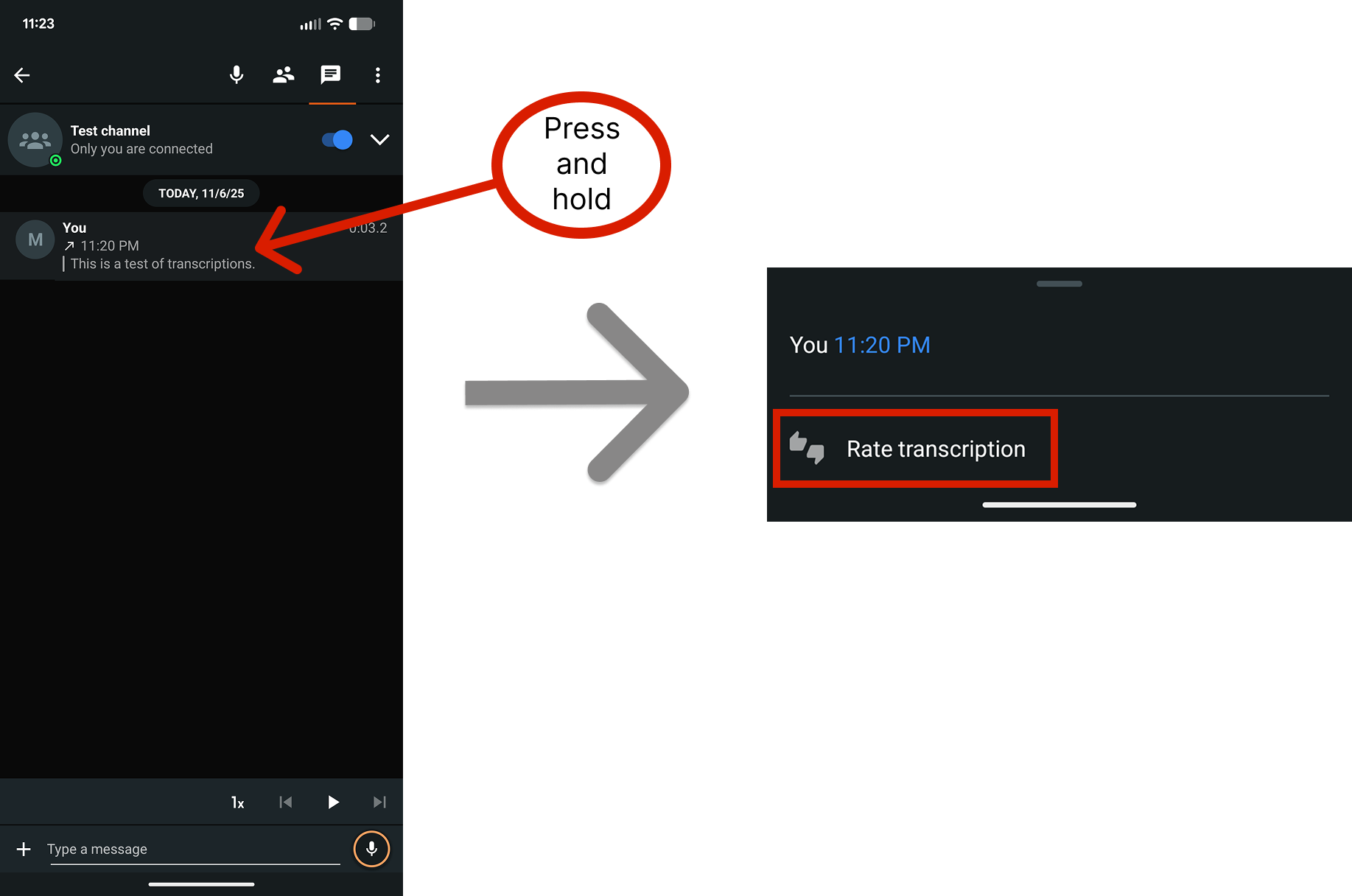
- We strongly encourage users to rate their transcriptions. To do so, long press the message and tap Rate transcription. (Rating is not available in Dispatch Hub.)
Transcriptions + Message Vault
If Message Vault is included in your Zello Work subscription, transcriptions for each voice message will appear in the management console's History tab. Please note that this is controlled by your defined console settings, and will only occur if transcriptions have been turned on for the user in question.
Additionally, transcriptions will be included in any metadata exports conducted from the management console.